Deployments & Logs
Purpose
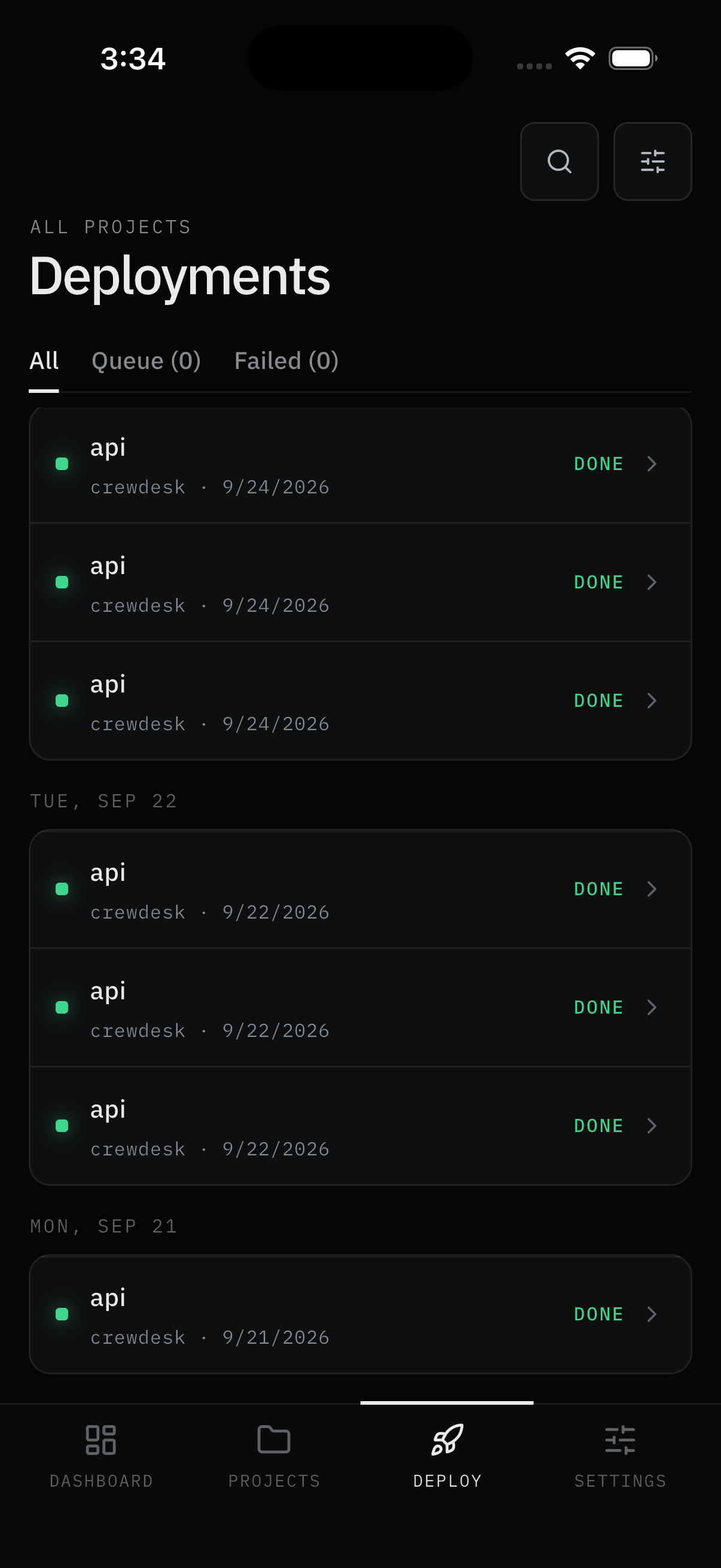
Everything that's been built and shipped lives here, under the Deploy tab. Three segments split the list: All (everything, newest first), Queue (n) (running now), and Failed (n) (needs attention). The same log viewer appears inside single services - there it's pre-filtered to that service.
User Flow
Watch the segments
Step 1: Open Deploy
- Open the Deploy tab. Rows group under day headers (
TUE, SEP 22), each showing service, project, date, and a right-aligned status word (DONE, …). Tap a row to read its logs. - Queue (n) counts what's deploying now - Cancel from the row where Dokploy allows it (queued or pending runs; there is no Restart or Remove in app). Failed (n) collects the breakages. Counts of zero mean quiet, which is normal.
Result:
- You see live progress and the full history, split by what needs you.
Filter precisely
Step 2: Open the Filters sheet
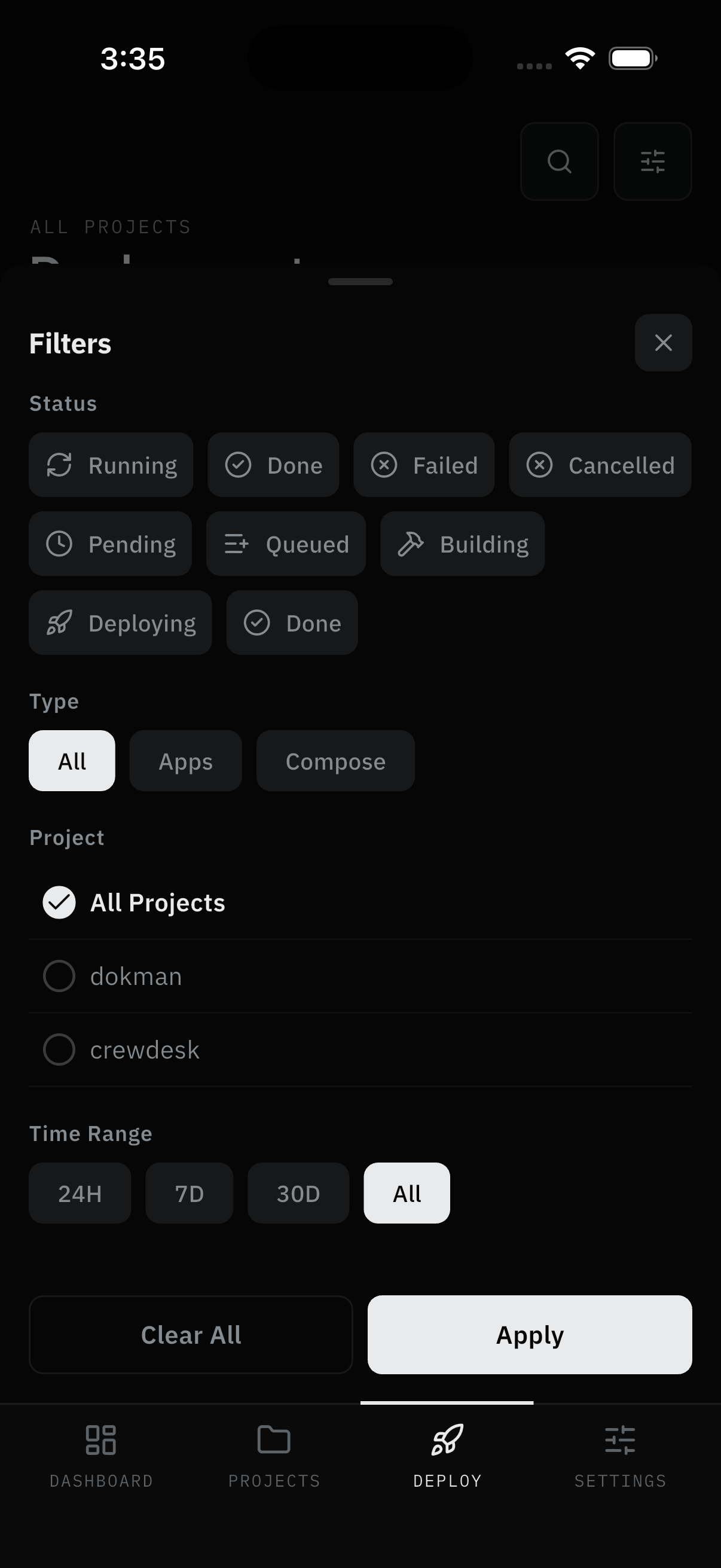
- Tap search or the filter button. The sheet offers Status chips (Running, Done, Failed, Cancelled, Pending, Queued, Building, Deploying), Type (All, Apps, Compose), Project radio list (All Projects plus each project), and Time Range (24H, 7D, 30D, All).
- Apply to filter, Clear All to reset. Active filters persist as chips on the list.
Result:
- The list narrows to the deploys you're asking about ("did that fix go out?").
Read the logs
Step 3: Open a deployment
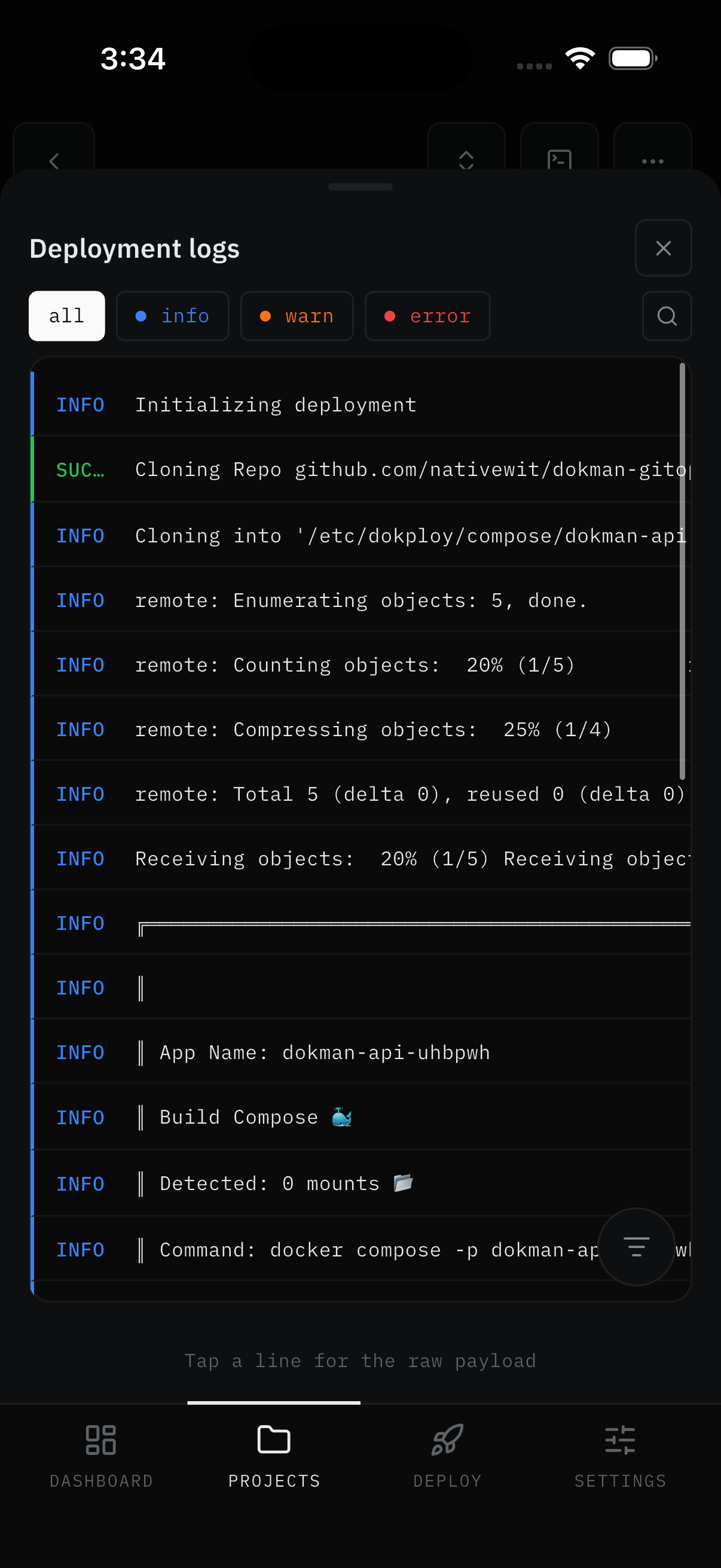
- Tap any row - in any segment, or from a push, dashboard, or service screen. Deployment logs open as a sheet with level chips (all, info, warn, error), search, and color-tagged lines. Tapping any line shows its raw payload.
- Service Logs tabs add a container picker, a PAUSED badge with resume, and timestamps per line.
- Search and filter lines by text and level; export via copy, share, or save. Search, filter, and export need Pro - tapping them on Free opens an upgrade sheet instead. Reading is free for everyone.
Result:
- You read exactly what the deploy did, and can keep or share the relevant part.
Screens Involved
- Deploy tab (All / Queue / Failed segments, search, filters sheet)
- Deployment log sheet (level chips, search, tagged lines, raw payload)
- Service Logs tabs (container picker, PAUSED badge, timestamps)
Inputs
User Inputs:
- Segment selection, search text, filter sheet choices (status, type, project, time range)
- Cancel taps (where allowed)
- Log search text, level chips, export / share / save (Pro)
Outputs
- Filtered deployment list
- Cancelled deploy (where allowed)
- Copied/shared/saved log text (Pro)
Error Handling and Edge Cases
| Scenario | System Behavior |
|---|---|
| "No deployments match" | Widen the time range or Clear All filters |
| "Not found" opening a log | Deployment was cleaned up on the server, or an old History link |
| Cancel missing | That deploy can't be cancelled - a Dokploy rule |
| Export/search locked | Pro feature - reading stays free |