
Alerts
Purpose
Beyond the standard push categories, Pro lets you decide what is worth waking up for: threshold watches, per-service mutes, quiet hours, and fully custom rules. These sections only exist on Pro - free accounts simply don't see them (Dokman hides paywalled controls instead of teasing locked cards).
User Flow
Watch thresholds
Step 1: Set CPU and memory limits
- Open Settings → Alert Thresholds (admins - the row is hidden otherwise).
- Set CPU % and Memory % (whole numbers 1–100; leave blank for the server default of 80) and tap Save thresholds.
Result:
- When a server crosses either line, users with Alerts enabled get a push and the dashboard graphs flag it.
Mute a noisy service
Step 2: Silence selectively
- The push screen grows Custom Rules (
+ Add rule) and Mute a service sections on Pro. Open the mute sheet, pick a service, then Mute for 24h or Mute forever. Undo anytime.
Result:
- The service stays visible but stops buzzing you until you undo or the day passes.
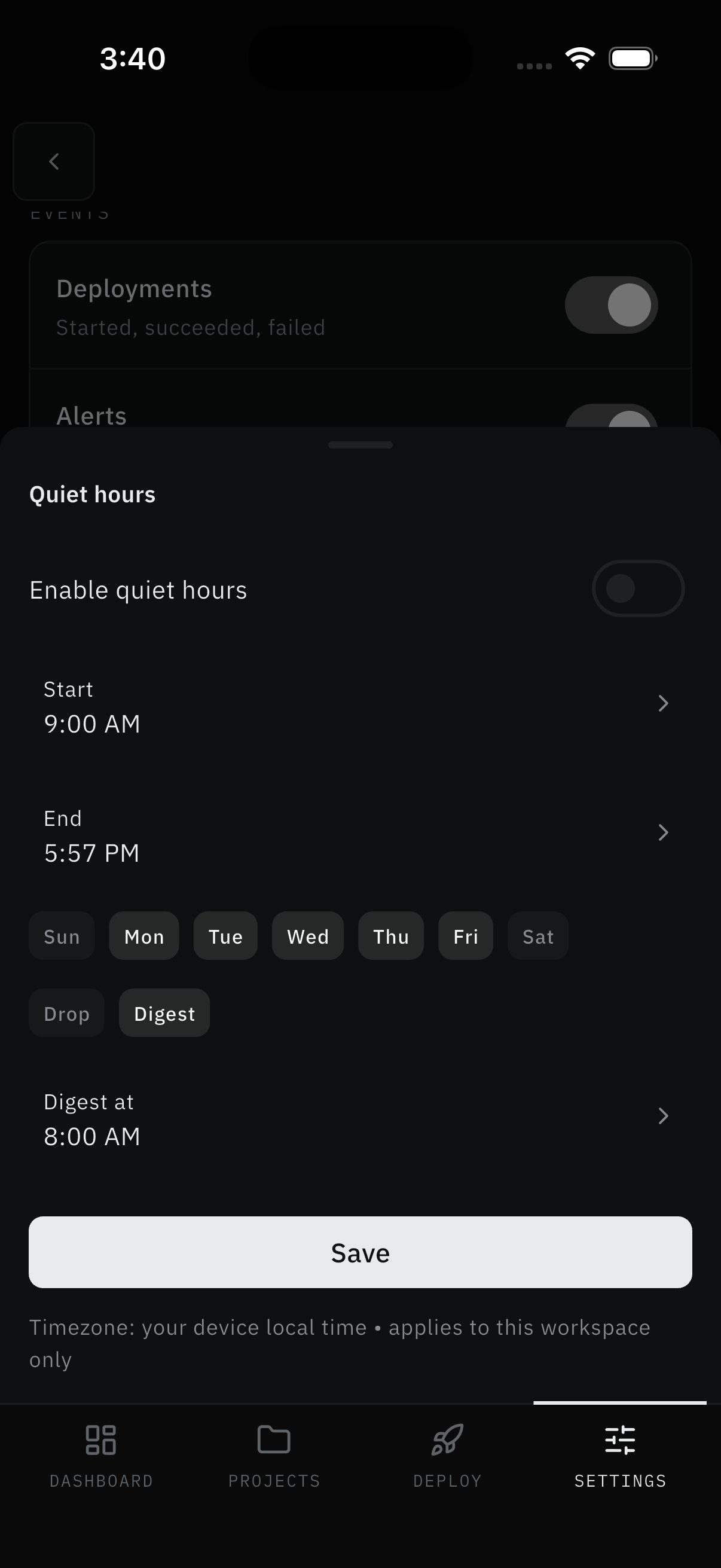
Set quiet hours
Step 3: Protect the night
- Open quiet hours from the Pro alert sections. Toggle Enable quiet hours, pick Start and End times, tick the days (Sun–Sat chips), and choose Drop (skip silently) or Digest (collect for a morning summary at your Digest at time). Times use your device clock and apply to this workspace only.
- Save.
Result:
- Nights stay quiet without losing daytime coverage. (Digest collection exists in settings, but summaries aren't sent yet.)
Build a custom rule
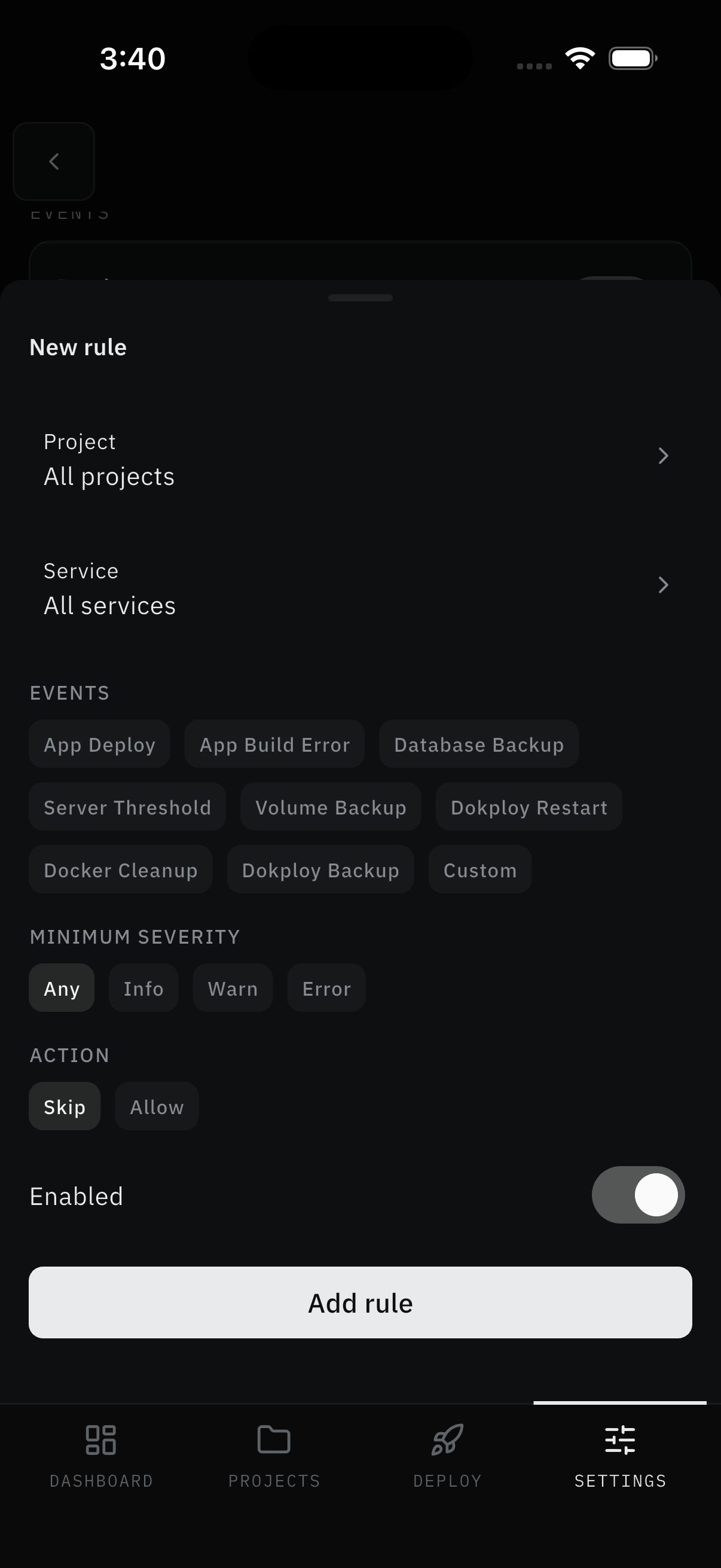
Step 4: Filter precisely
- Tap Add rule. Pick Project (
All projectsor one) and Service (All servicesor one). - Pick event chips: App Deploy, App Build Error, Database Backup, Server Threshold, Volume Backup, Dokploy Restart, Docker Cleanup, Dokploy Backup, Custom.
- Pick minimum severity (
Any, Info, Warn, Error) and an action (Skipto suppress matches,Allowto let them through). Toggle Enabled and tap Add rule.
Result:
- Only the exact failure you care about reaches you - for example, App Build Error on one service at Warn or worse, skipped overnight by quiet hours.
Screens Involved
- Alert Thresholds (CPU/Memory inputs, Save)
- Pro alert sections (mutes with Undo, quiet-hours editor, rule builder)
- Subscription (upgrade entry point)
Inputs
User Inputs:
- Threshold percentages (1–100 or blank)
- Muted service + duration (24h / forever)
- Quiet-hours window, days, mode (Drop / Digest)
- Rule project, service, event type, minimum severity
Outputs
- Saved thresholds, mutes, quiet hours, rules
- Threshold and rule-matched pushes
Error Handling and Edge Cases
| Scenario | System Behavior |
|---|---|
| Sections missing entirely | Not on Pro - see Subscription |
| Value outside 1–100 | Rejected - whole numbers in range only |
| Digest selected | Mode saves, but summaries aren't delivered yet |